This concept sheet will help you learn more about speech-to-text and text-to-speech, the role of AI in these technologies, and how they can help you learn.
Speech-to-text and text-to-speech are technologies that let you interact with computers and other devices.
- Speech-to-text (STT) (also known as speech recognition) converts spoken words into text.
- Text-to-speech (TTS) converts text into an artificial voice.
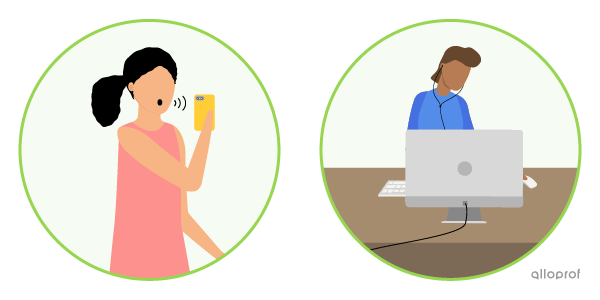
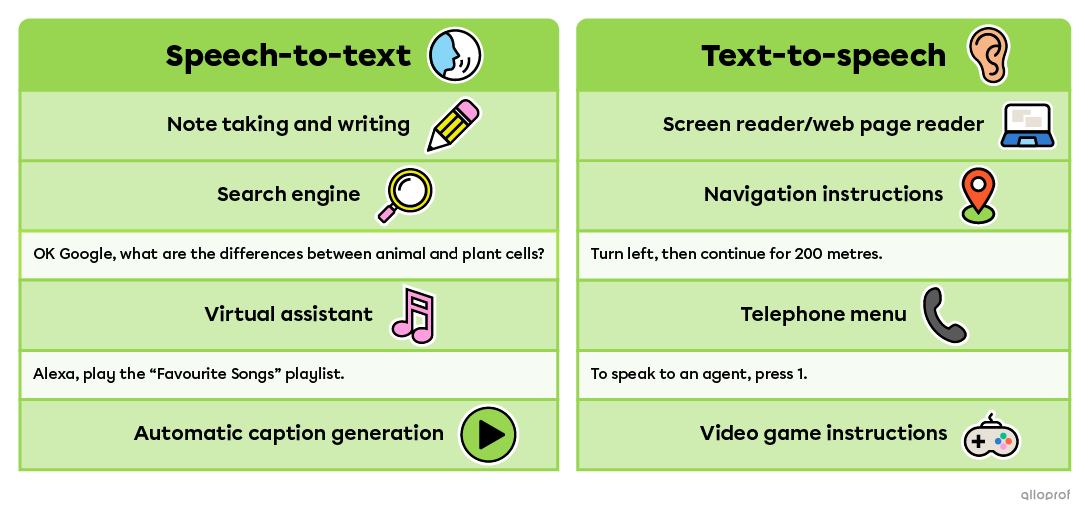
Here are just a few examples of uses for these technologies.
Using voice search is incredibly handy, but there are some things you should know to use it well. Here are a few tips!
It’s basically about making sure your voice search is effective and properly understood.
- Think about what you’re going to say before you click the button.
- Use relevant keywords.
- Avoid unnecessary information.
- Speak clearly.
- Speak at normal speed.
- Avoid background noise.
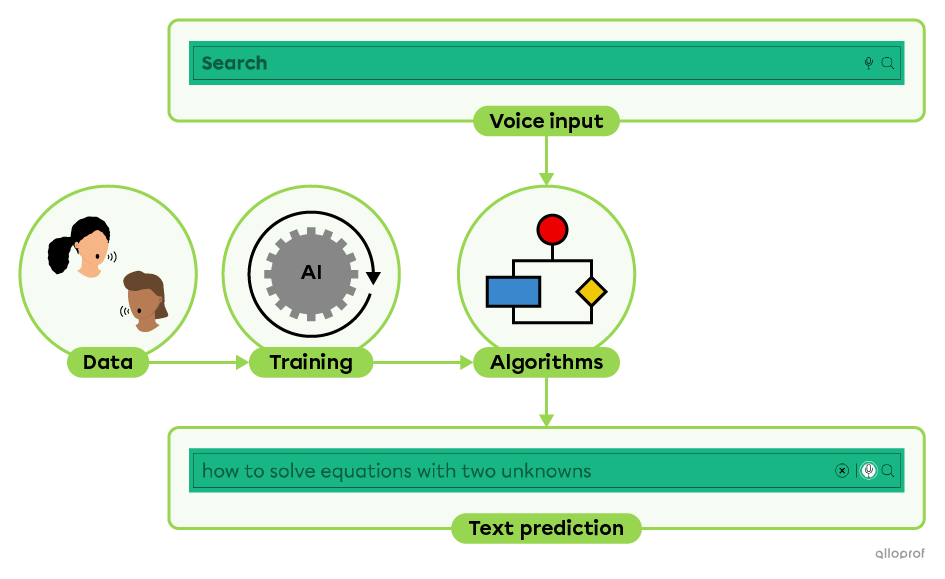
Most speech-to-text and text-to-speech technologies use artificial intelligence (AI). We’ll explain how it works.
- A very large amount of royalty-free text and human speech data is stored in data centres.
- This data is used to train the AI to match sounds with written text.
For example, AI learns that the words to and two aren’t spelled the same way. The more data the AI has to train on, the more accurate it becomes. - Once trained, the AI follows a set of rules that allow it to make predictions. These are called algorithms.
- When you use speech-to-text, it takes your voice, runs it through the algorithms, and then predicts the text to write.
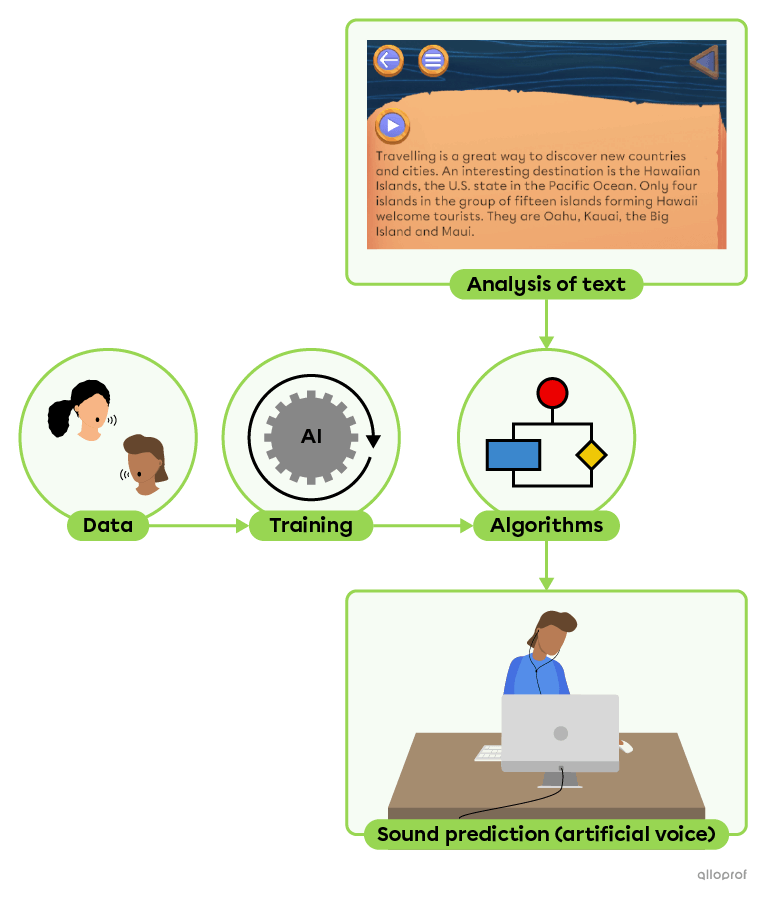
- A very large amount of royalty-free text and human speech data is stored in data centres.
- This data is used to train the AI to match written text with sounds.
For example, AI learns that when there is a comma, the artificial voice needs to pause. - Once trained, the AI follows algorithms.
- Text-to-speech analyzes text using algorithms and then predicts the sounds to generate with the artificial voice.
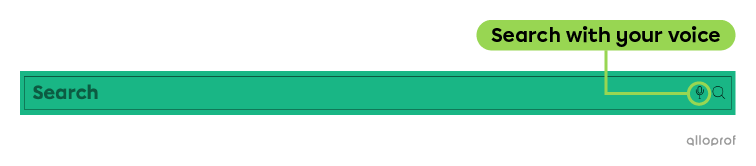
Alloprof’s search bar has the Search with your voice feature.
This uses Google Cloud technology called Speech-to-Text.
To use it, simply click on the microphone and start speaking.
No.
When using Search with your voice on Alloprof, your voice data
is not saved. It will not be used to train Google’s artificial intelligence.
However, other applications might temporarily save your voice data to train their models. They should always ask for your consent to do this. In addition, your voice data should be anonymized, meaning it would be impossible to identify that it is your voice. This is very important to protect your personal data.
To recognize a variety of human voices (with different tones, intonations, and accents) and generate realistic artificial voices, a very large amount of data is needed. Google uses audio recordings that come mainly from:
- professional voice actors recorded in studios
- public content such as:
- royalty-free audiobooks
- TV shows
- public speeches
- etc.
- users who have given their consent
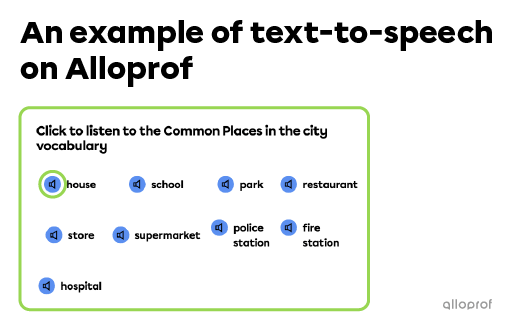
To provide you with the best possible experience, Alloprof uses several different technologies, including Google Cloud Text-to-Speech and ElevenLabs.
You can find text-to-speech in the English as a Second Language concept sheets.
To use it, simply click on the speaker.
Speech-to-text and text-to-speech are useful for everyone, but they’re especially helpful for people who have difficulty reading or writing, for all kinds of reasons. Here are some examples.
- Vision impairments
Example: A person with low vision can use text-to-speech to listen to the content of a web page. - Hearing impairments
Example: A person with hearing loss can read automatically generated captions in a video. - Temporary or permanent motor disabilities
Example: A person with a hand injury can write text using speech-to-text. - Learning a new language
Example: Two people who do not speak the same language can communicate using translation apps that include speech-to-text and text-to-speech. - Learning disorders (dyslexia, dysorthography, dyspraxia, etc.)
Example: Using text-to-speech, a person can hear words as they write, which helps them catch spelling mistakes more easily.

Source: Xavier Lorenzo, Shutterstock.com
At school, technological tools can help you learn and demonstrate your learning. They can also reduce barriers related to learning disorders and other conditions.
The most commonly used school software includes WordQ (speech-to-text and text-to-speech) and Lexibar (text-to-speech). These tools don't prevent you from having to make decisions based on your learning, but they help, among other things, to:
- increase the number of words written
- decode words
- listen to text at a pace that allows full comprehension
Along with speech-to-text and text-to-speech functions, AI technologies are also used to:
- predict the next words in a sentence
- detect spelling errors
- Google. (2025) Gemini 2.5 Flash [large language model]. https://gemini.google.com/app
- Google Cloud. (n. d.). Google Cloud Text-to-Speech. Google Cloud. Accessed November 3, 2025, at https://cloud.google.com/text-to-speech?hl=fr
- Google Cloud. (n. d.). Google Cloud Speech-to-Text. Google Cloud. Accessed November 3, 2025, at https://cloud.google.com/speechto-text?hl=fr
- Institut TA. (n. d.). WordQ et Lexibar : comment ces logiciels peuvent-ils aider mon enfant. Institut TA. Accessed October 28, 2025, at https://www.institutta.com/s-informer/wordq-et-lexibar-comment-ces-logiciels-peuvent-ils-aider-mon-enfant#les-fonctions-daide-disponibles-dans-les-deux-logiciels