This concept sheet explains Alloprof’s smart summary tool: how to use it and how it can help you learn.
You’ve probably noticed that search engines like Google and DuckDuckGo now provide summaries along with the usual links to other sites. These smart summaries are created with generative artificial intelligence.
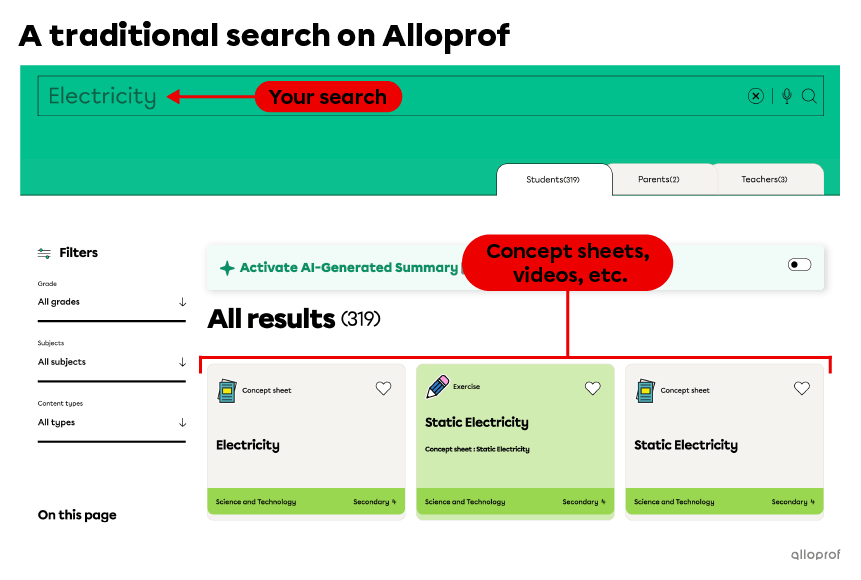
When you enter keywords normally in Alloprof’s search bar, you get concept sheets, exercises, and videos created by teachers. This is traditional search and doesn’t involve a smart summary.
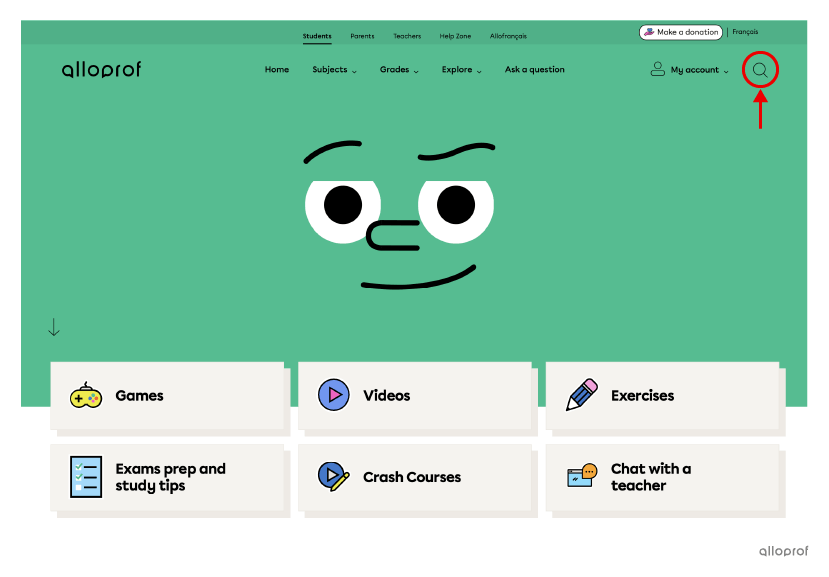
But now, Alloprof has integrated a new tool into its search bar to offer you smart summaries. To activate this feature, simply click on the button to the right of the search bar. Here’s an overview.
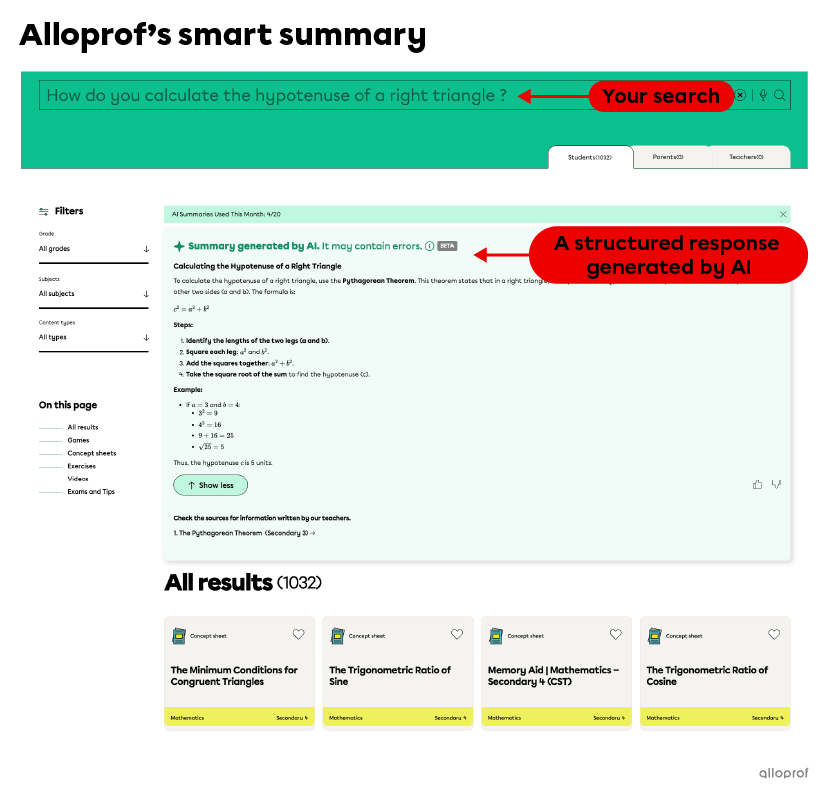
What makes this smart summary special is that it’s augmented by Alloprof’s own content!
Smart summaries are AI-generated answers that draw on large amounts of data. The AI uses information from the internet to augment the response. But the internet contains both reliable and unreliable sources. This can cause the AI to produce answers that are inaccurate, irrelevant, outdated, or incorrect.
That is the reason why Alloprof uses Relevance-Generative Answering (RGA) technology.
Relevance-Generative Answering (RGA) is a technology producing responses that are based on a predefined set of trusted content.
While traditional smart summaries draw on information from across the internet, Alloprof’s smart summaries are drawn directly from Alloprof’s own concept sheets.
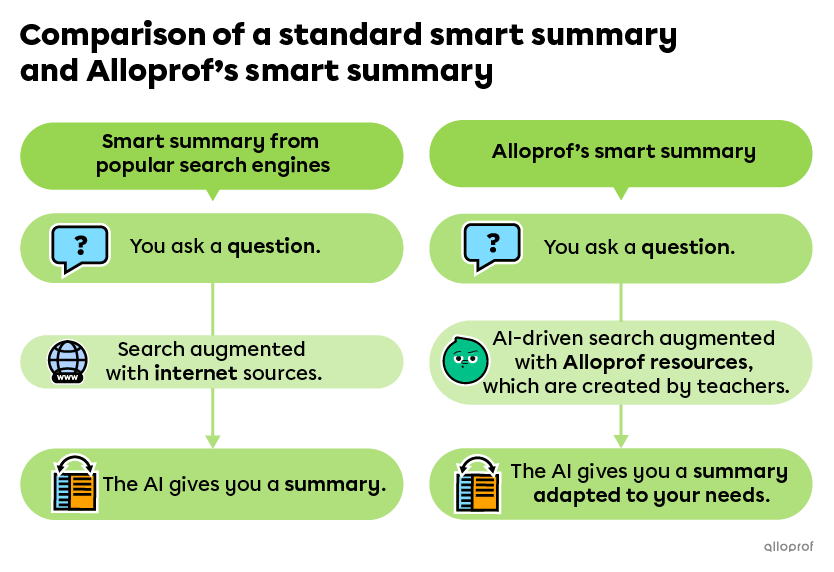
Since Alloprof’s content is created by teachers and adapted to the Quebec school system, the responses are better adapted to your needs.

If you’re looking for an explanation, stuck on a problem while studying, or just want to save time, ask a question in the search bar using smart summary mode. Just follow these steps:
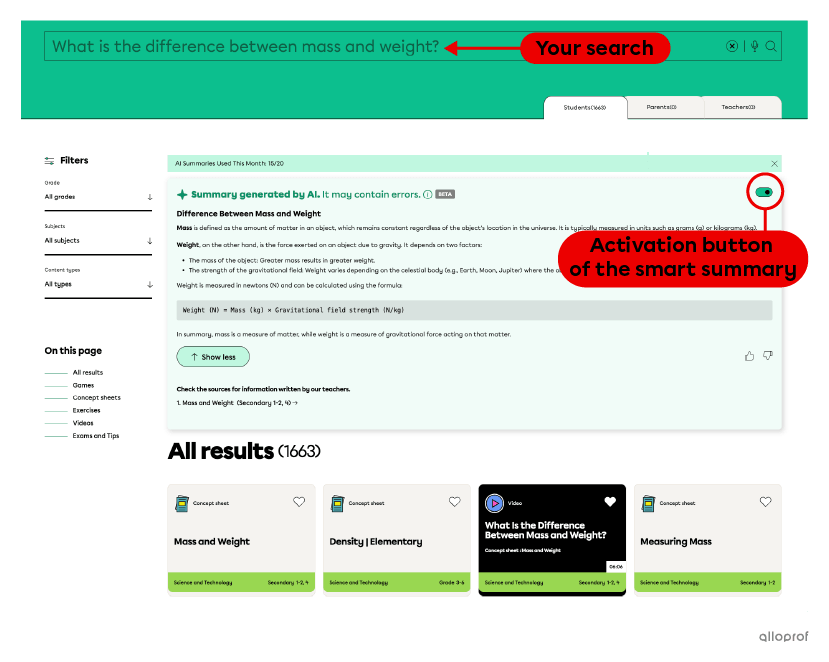
When you ask a question in smart summary mode, the AI scans Alloprof’s content to find an appropriate answer. It then generates a response in the form of a clear, structured summary. At the end, it provides the Alloprof concept sheets it used to build that response.
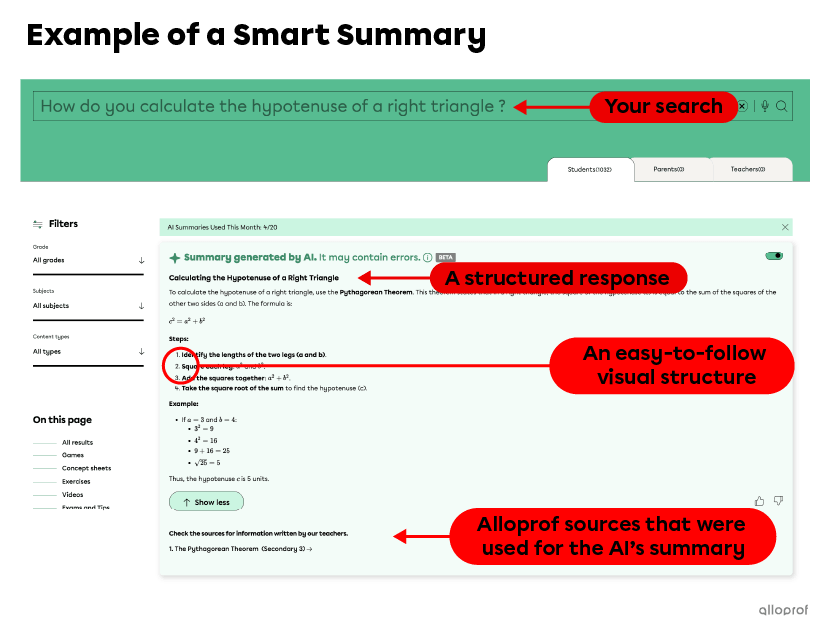
You may already be familiar with smart summaries provided by search engines like Google and DuckDuckGo. Smart summaries are a practical tool that gives you access to lots of useful information. The advantage of using Alloprof’s smart summary is that it is better suited to you, since Alloprof’s content is created by teachers and follows the Quebec curriculum.
Here’s a table that compares a typical smart summary and Alloprof’s smart summary.
| Common smart summaries | Alloprof’s smart summary | |
| When you ask a question... | ||
| The AI looks for answers from a vast amount of source data, including Internet sources. | The AI starts by looking for an answer on the Alloprof site—a reliable resource written by teachers. | |
| The AI may use a more complex vocabulary. It will not know you’re a student unless you specify. | The AI uses an adapted vocabulary—the same way a teacher would if they were explaining the subject to you. | |
| The AI may lack context. It doesn’t know which school system you belong to or what grade you’re in. That means it may show you material that is too advanced and that your teacher has not asked for. | The AI does a search with the proper context. It adapts to you.
| |
| At the end of the response, the AI shows different sources it used; but they may be the wrong level for a student. | At the end of the response, the AI shows Alloprof sources—all teacher-created content. | |
As you can see, Alloprof’s smart summary gives you an answer that’s better suited to your needs. That means it can help you study more effectively!
AI certainly isn't perfect, but RGA can significantly increase the reliability of AI-generated answers. Just remember: RGA reduces errors, but it cannot prevent them completely. When you read an AI-generated answer, it’s important to be critical. Always check the sources and validate the information.
You have access to a limited number of queries through Alloprof’s smart summary: 20 per month if you’re logged in to your Alloprof account, and two per month if you’re not logged in. So, it’s best to use the smart summary only when:
- you’re stuck
- you’re studying more difficult concepts
- you really need to save time
Don’t enter only the keywords! Use words like why and how to guide the AI’s response. It also helps to use action verbs like analyze, summarize, and explain.
Here are a few examples.
- How do you calculate the hypotenuse of a right-angled triangle?
- Why does the Moon change phases?
- Summarize the different types of renewable energy.
- Explain the link between mass and gravity.
The smart summary focuses on Alloprof content, which makes it more helpful as an AI tool for your study needs.
Just remember that, like any AI, it can still make mistakes, miss nuances, and make overly broad generalizations.
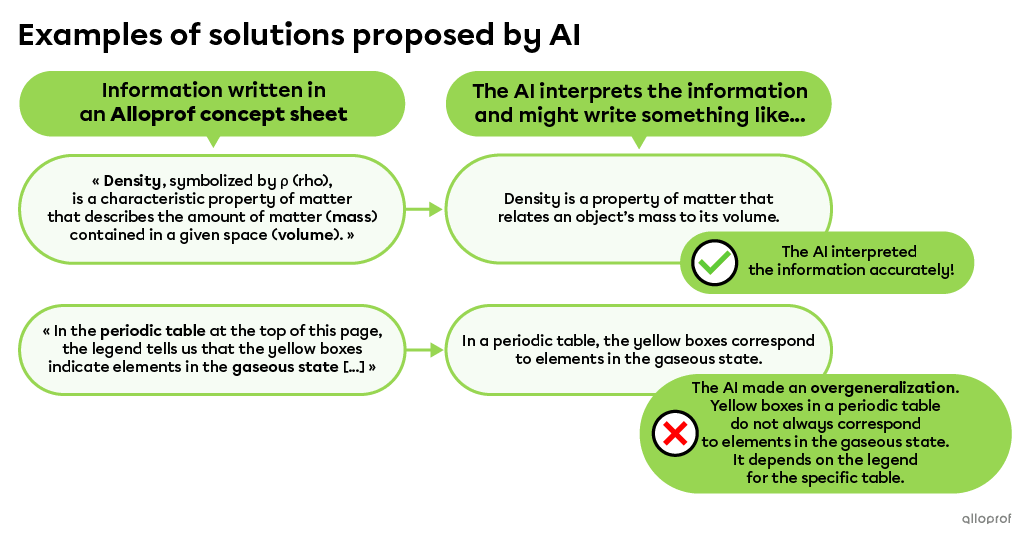
You should always read answers critically and consult the sources that are provided along with Alloprof’s smart summary.
Alloprof’s smart summary is there to enhance your learning. To fully understand the material, you should use the smart summary alongside other tools: your class notes, mind maps, and Alloprof tools such as exercises, videos, concept sheets, and exam simulations.
Other Tips for Studying Effectively!
When you log in to your Alloprof account, Alloprof’s smart summary tool recognizes your grade level and adapts its responses accordingly.
For example, if you’re in Grade 6, the smart summary will explain the concept of density differently than it would for a student in Secondary III. It will use different vocabulary and explain different aspects of the concept.
Alloprof’s smart summary uses Coveo Relevance Generated Answering. Click here to learn more about this tool.