- A link is the basic mechanical function that connects different parts of a technical object.
- A linking component is an intermediate part that is sometimes needed to connect other parts.
Links and linking components may be indicated in an object’s construction diagram.
A link can be described using four characteristics. All links can be described using one characteristic from each of the following pairs.
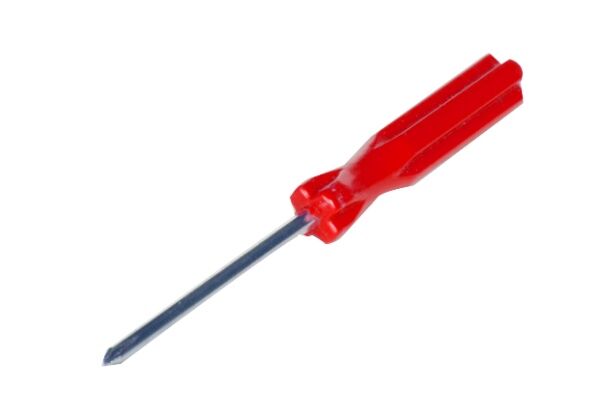
A link is direct when parts are joined without any linking component.
A link is indirect when parts are joined by one or more linking components.
ozkan, shutterstock.com
The link between the handle and shaft of a screwdriver is direct, as the shaft is embedded in the plastic of the handle without any linking component.

Gudman, shutterstock.com
The link between a button and a shirt is indirect, as the button is connected to the shirt via the thread, which acts as a linking component.
A link is removable when the linked parts can be separated without damaging the parts or their linking component.
A link is permanent when the linked parts cannot be separated without damaging the parts or their linking components.
Note: On an exploded view drawing, all the parts that make up a permanent link remain connected.

ozkan, shutterstock.com
The link between a reusable water bottle and its cap is removable, as the cap can be removed from the bottle without damaging anything.

Gudman, shutterstock.com
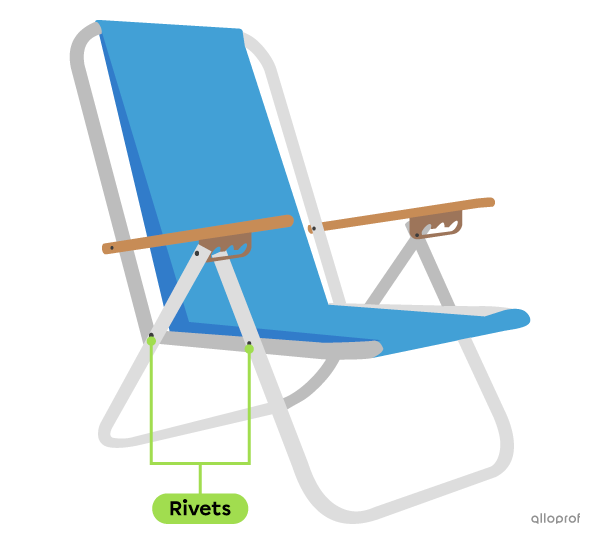
Plastic sheaths are used to protect electrical wires and serve as a linking component. These links are permanent, as it is impossible to separate the wires without damaging the sheath.
A link is flexible when the parts or linking components allow for return motion.
Return motion occurs when linked parts return to their original shape or position following deformation or motion.
To achieve this, there may be a return device (e.g., a spring) that enables the linked parts to return to their initial position.
A link is rigid when the parts or linking components do not allow for any deformation or return motion.

tomeqs, shutterstock.com
The keys on a computer keyboard are linked to a printed circuit board by a rubber linking component that allows for a flexible link. The temporary deformation of the linking component allows the key to return to its initial position.

Krasovski Dmitri, shutterstock.com
A guitar neck is attached to the back of a guitar body by screws that form a rigid link. The material the screws are made of does not allow for any deformation.
A link is complete when none of the linked parts can move independently.
A link is partial when at least one of the linked parts can move independently of the others.

Sorawit11, shutterstock.com
Mortar is a mixture of sand and water which, once dry, forms a complete link between the bricks of a wall. Mortar does not allow for any movement between the bricks.
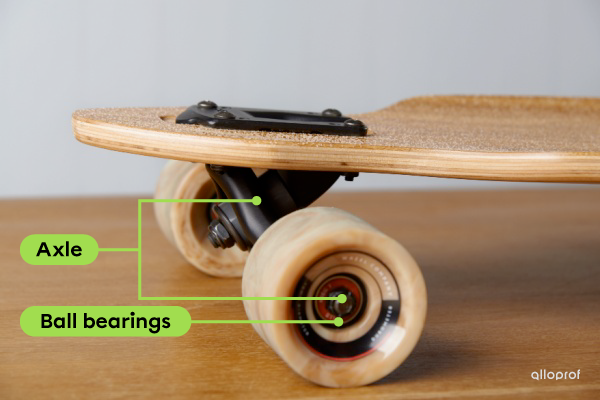
JIPEN, shutterstock.com
Ball bearings form a partial link between the wheels and axles of a skateboard. The ball bearings allow the wheels to rotate independently around the axles, which remain fixed.
Degrees of freedom are the possible independent motions between parts that are linked or connected.
A part’s degree of freedom is defined in terms of its possible motion along the x, y, and z axes.
- One degree of freedom is given to each axis along which a translational motion is possible.
- One degree of freedom is assigned to each axis along which a rotational motion is possible.
Two types of motion are therefore possible for each of the three axes, representing a potential of six degrees of freedom.
Degrees of Freedom of Links | ||
|---|---|---|
| Translation | Along the x-axis (Tx) |  |
| Along the y-axis (Ty) | ||
| Along the z-axis (Tz) | ||
| Rotation | Along the x-axis (Rx) | |
| Along the y-axis (Ry) | ||
| Along the z-axis (Rz) | ||
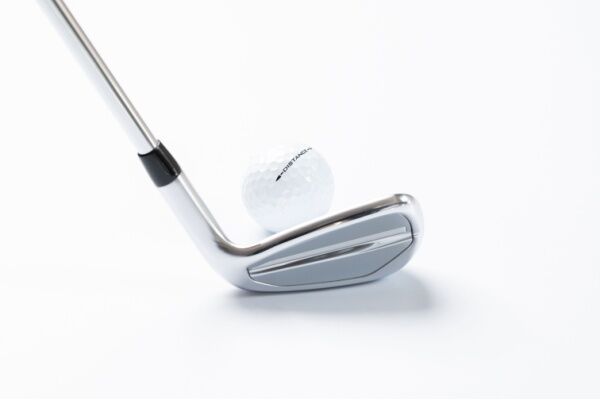
ash_SkyLine, shutterstock.com
The degree of freedom of the club head in relation to the shaft is 0, as their embedded or fixed link does not allow for any motion.
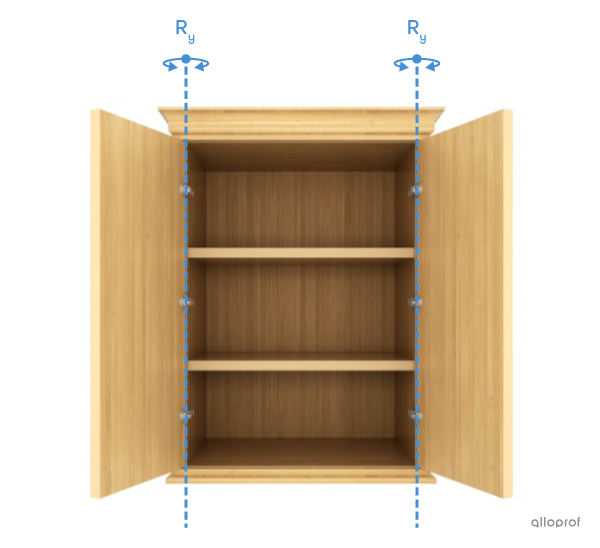
3d imagination, shutterstock.com
The degree of freedom of the door in relation to its casing is 1, as their pivot or rotating link enables the door to rotate along the y-axis (Ry). Limiting the door’s degree of freedom protects its surface from impact when opened.
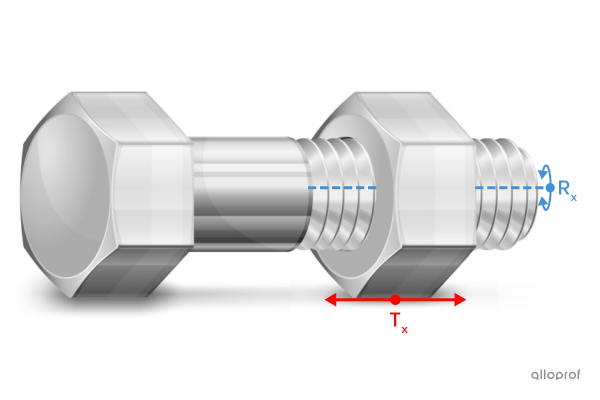
creatOR76, shutterstock.com
The degree of freedom of the nut in relation to the screw is 2, as their spiral or helical link enables rotation and translation along the x-axis (Tx and Rx).
CHIARI VFX, shutterstock.com
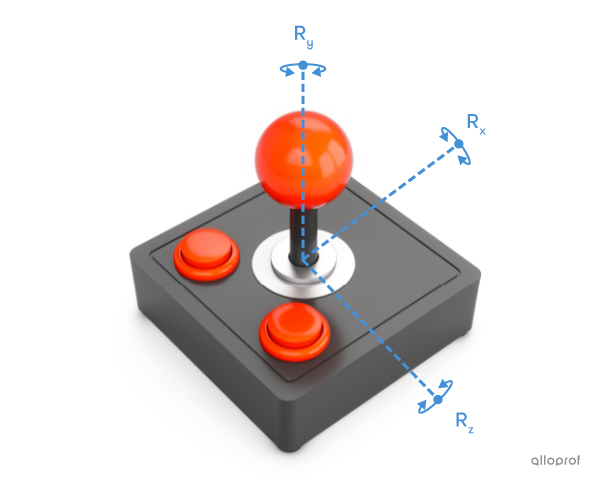
The degree of freedom of the handle in relation to its base is 3, as the ball joint or spherical link enables the handle to rotate along the x, y, and z axes (Rx, Ry et Rz).